Engineers Garage

  • Electronic Projects & Tutorials
    • Electronic Projects
      • Arduino Projects
      • AVR
      • Raspberry pi
      • ESP8266
      • BeagleBone
      • 8051 Microcontroller
      • ARM
      • PIC Microcontroller
      • STM32
    • Tutorials
      • Audio Electronics
      • Battery Management
      • Brainwave
      • Electric Vehicles
      • EMI/EMC/RFI
      • Hardware Filters
      • IoT tutorials
      • Power Tutorials
      • Python
      • Sensors
      • USB
      • VHDL
    • Circuit Design
    • Project Videos
    • Components
  • Articles
    • Tech Articles
    • Insight
    • Invention Stories
    • How to
    • What Is
  • News
    • Electronic Product News
    • Business News
    • Company/Start-up News
    • DIY Reviews
    • Guest Post
  • Forums
    • EDABoard.com
    • Electro-Tech-Online
    • EG Forum Archive
  • DigiKey Store
    • Cables, Wires
    • Connectors, Interconnect
    • Discrete
    • Electromechanical
    • Embedded Computers
    • Enclosures, Hardware, Office
    • Integrated Circuits (ICs)
    • Isolators
    • LED/Optoelectronics
    • Passive
    • Power, Circuit Protection
    • Programmers
    • RF, Wireless
    • Semiconductors
    • Sensors, Transducers
    • Test Products
    • Tools
  • Learn
    • eBooks/Tech Tips
    • Design Guides
    • Learning Center
    • Tech Toolboxes
    • Webinars & Digital Events
  • Resources
    • Digital Issues
    • EE Training Days
    • LEAP Awards
    • Podcasts
    • Webinars / Digital Events
    • White Papers
    • Engineering Diversity & Inclusion
    • DesignFast
  • Guest Post Guidelines
  • Advertise
  • Subscribe

How to design a heart-rate monitor using LoRa and Arduino

By Ayush Jain June 16, 2024

In this electronics project, we’ll design a healthcare solution over LoRa, using an Arduino Nano and a heart-rate sensor connected via the I2C bus. This device demonstrates the potential of the Internet-of-Things (IoT) in enhancing healthcare services and improving patient outcomes.

The system measures a person’s heart rate in beats per minute (BPM) from a sensor placed on the user’s finger. If the heart rate is outside the safe range, Arduino Nano sends this information to the LoRa E5 mini board. It acts as the communication gateway, directly transmitting the heart-rate data to a chosen gateway. This setup enables continuous monitoring of the user’s heart rate and real-time transmission of critical data.

Using the long-range capabilities of LoRa, this healthcare solution offers remote patient monitoring and timely mediation in case of irregular heart rates. The simplicity and effectiveness of the setup make it suitable for various healthcare applications, ranging from personal health tracking to hospital patient monitoring.

This project also provides a detailed guide on the hardware connections, sensor calibration, and LoRa communication setup, making it available to developers and healthcare professionals.
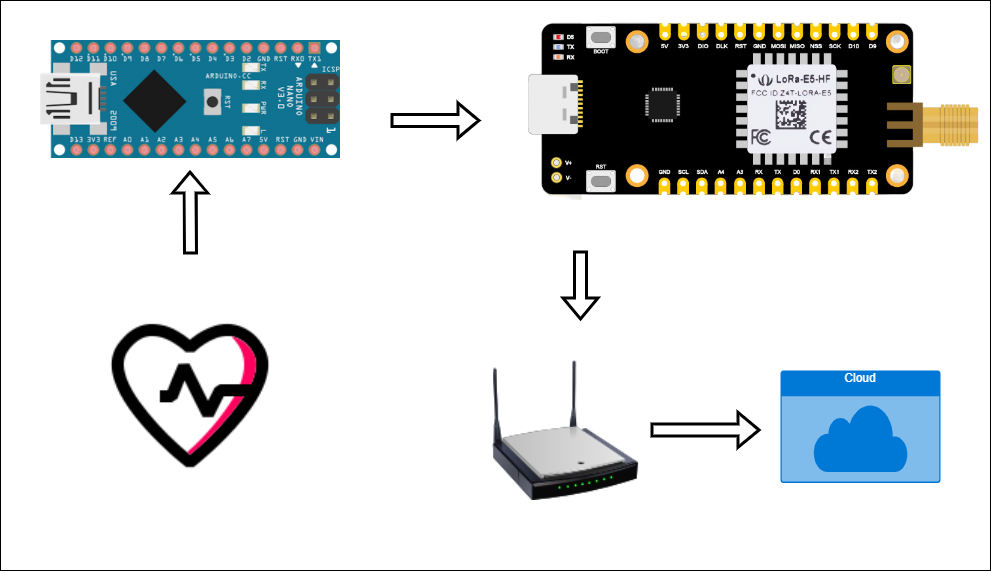
Figure 1. A block diagram of LoRa-based health care using Arduino and the IoT.

Table of contents

  1. Firmware for Arduino
  2. Error in MAX30102
  3. Circuit diagram and connections
  4. Sending data through the LoRa gateway via Chirpstack
  5. Program flow or algorithm and explanation

Requirements

  1. Ensure the LoRa gateway is installed (as shown in this article)
  2. LoRa E5 mini board by Seed Studio
  3. Arduino Nano
  4. MAX30102 module

Uploading the code in LoRa

Before implementing this healthcare solution, ensure the LoRa-to-UART code (LoRaE5_mini_UART_to_Lora) is uploaded to your LoRa E5 Mini board. To do so, follow the instructions in the this article.

This code enables communication between LoRa and the gateway. Once the code is successfully uploaded to the LoRa E5, upload the code to the Arduino Nano.

This code will interface with the heart-rate sensor via the I2C bus and continuously measure a user’s heart rate.

Uploading the code in Arduino Nano

Open the MAX30102_with_arduino_nano Code in Arduino IDE.
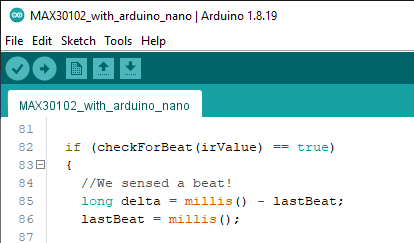
Figure 2. Open the code in Arduino.

Select the “Board” and “Port,” as shown below, and then upload the code.

Figure 3. Select the “Board” and “Port.”
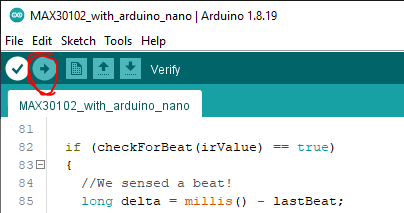
Figure 4. Upload the code to Arduino.

The MAX30102 module issue

The MAX30102 has an issue. The pull-ups on SDA and SCL are connected at 1.8 V. However, 3.3 V is needed to work with Arduino nano.fda.

To resolve this issue, connect the pull-up to 3.3 V to ensure it works with Arduino. This can be done by cutting the trace shown in red in the image. Connect a wire in the place of the blue line, as shown in the image.

Figure 5. To ensure the 3.3 V works with Arduino, modify the red trace area as shown in this image.

Figure 6. The modification of the MAX30102.

Circuit diagram
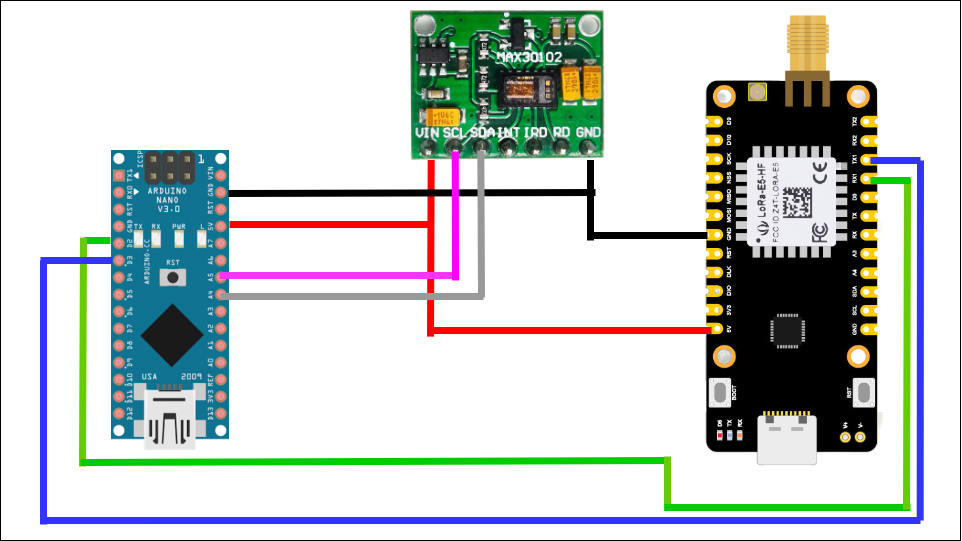
Figure 7. The complete circuit diagram of the LoRa-based heart-rate sensor using Arduino Nano, the MAX30102 module, and the LoRa E5 mini board.

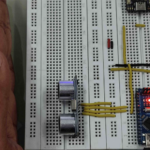
Figure 8. The circuit connections on the breadboard.

Adding a device to the gateway

To add a LoRa device to the gateway and find the key, refer to this article for detailed instructions. It provides a step-by-step guide on adding devices to the gateway, facilitating seamless communication between the nodes and the gateway.

How the code works

When a user’s finger is gently placed on the sensor, it takes about ten seconds for the readings to stabilize. During this time, the figure should avoid movement or it will affect the reading’s accuracy. The heart-rate measurements in BPM can be monitored on the serial monitor with a baud rate of 9600. If the BPM falls outside the safe 60 to 100 range, the heart-rate data will be transmitted to the LoRa network for further analysis and monitoring.

Figure 9. A user’s finger on the sensor to measure his heart rate.
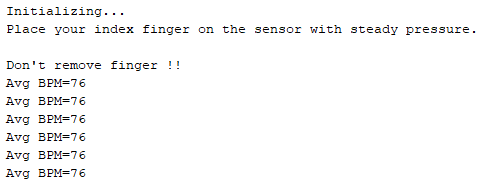
Figure 10. Serial monitor output.

To view the data, go to the “Events” tab in ChirpStack. It will look like the below screenshot.

Figure 11. An example of the data under the “Events” tab in Chirpstack.

Copy the data and open any hex-to-text converter website to convert the hexadecimal value to text. This text will be the location coordinates.
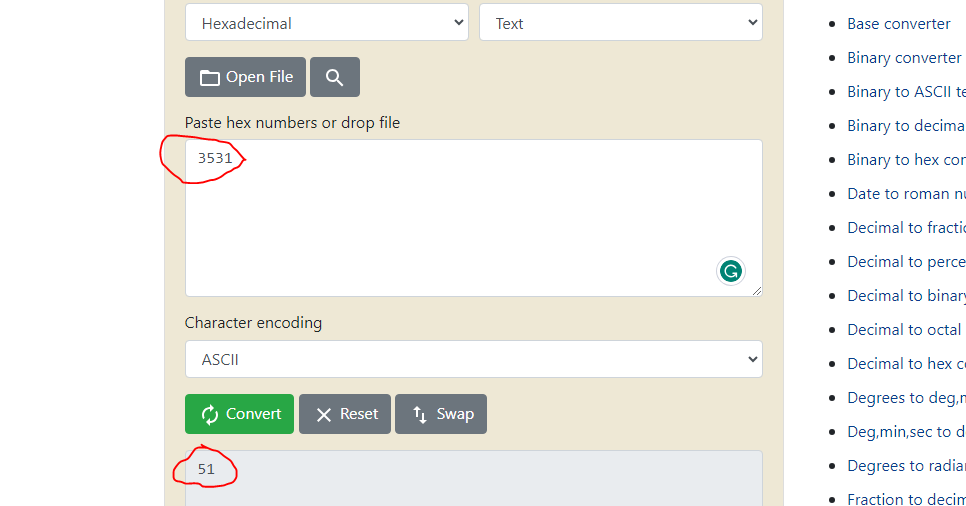
Figure 12. The hex-to-text convertor value.

The algorithm
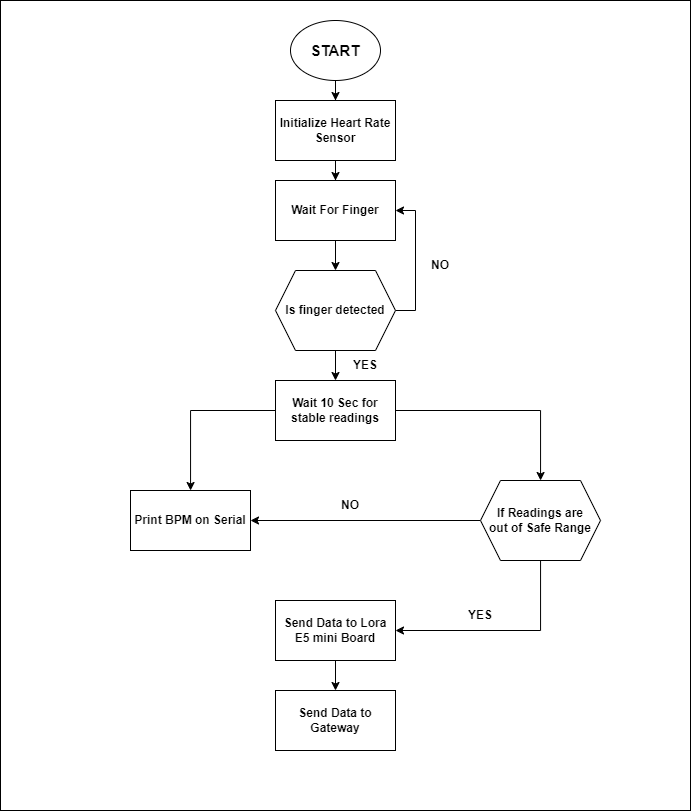
Figure 13. The algorithm of the LoRA-based heart-rate sensor.

The code explained

After initializing the heart-rate sensor using the below code, the sensor begins measuring the user’s BPM.
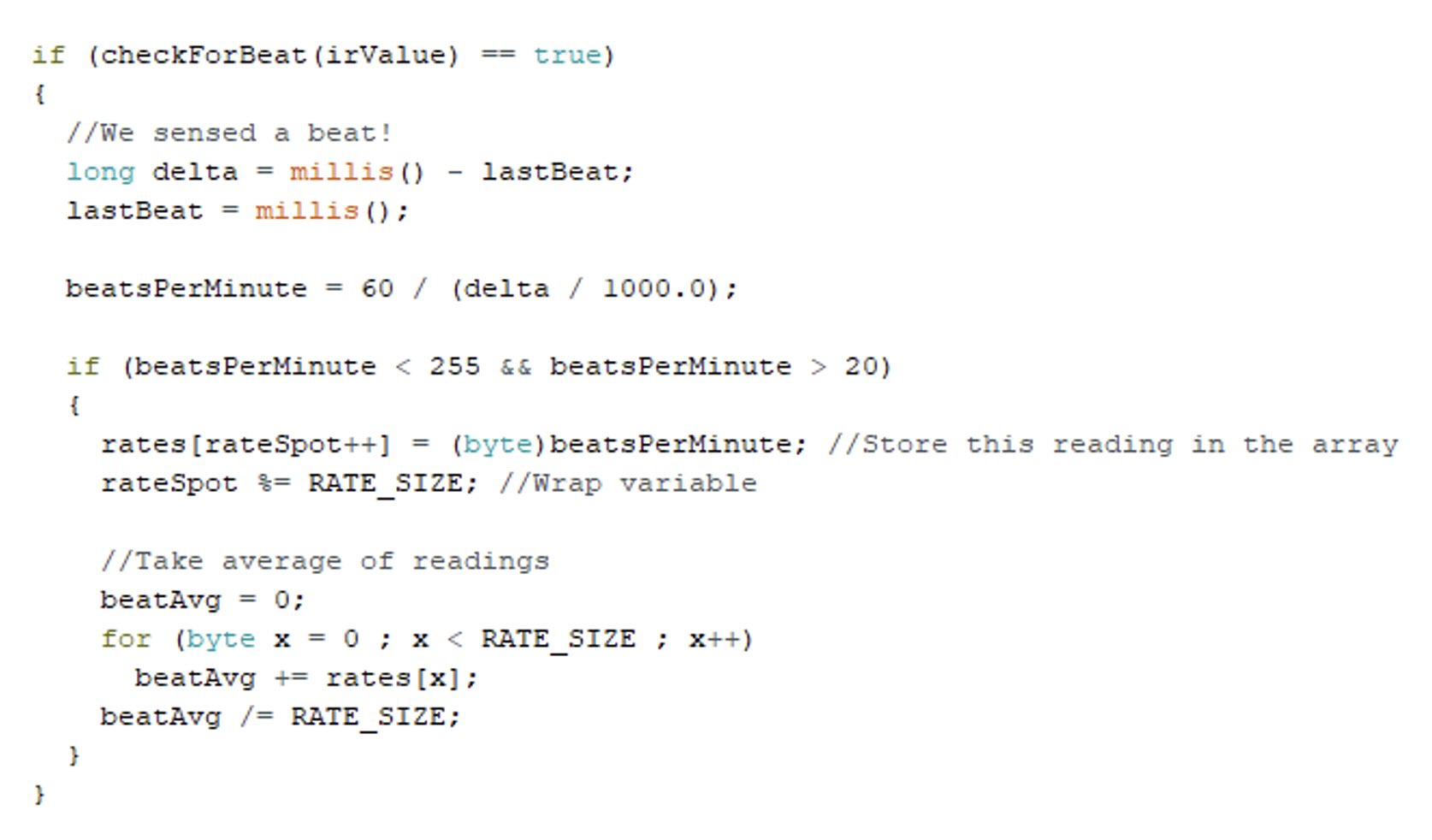
Figure 14. The code snippet when the IR sensor begins a user’s BPM measurement.
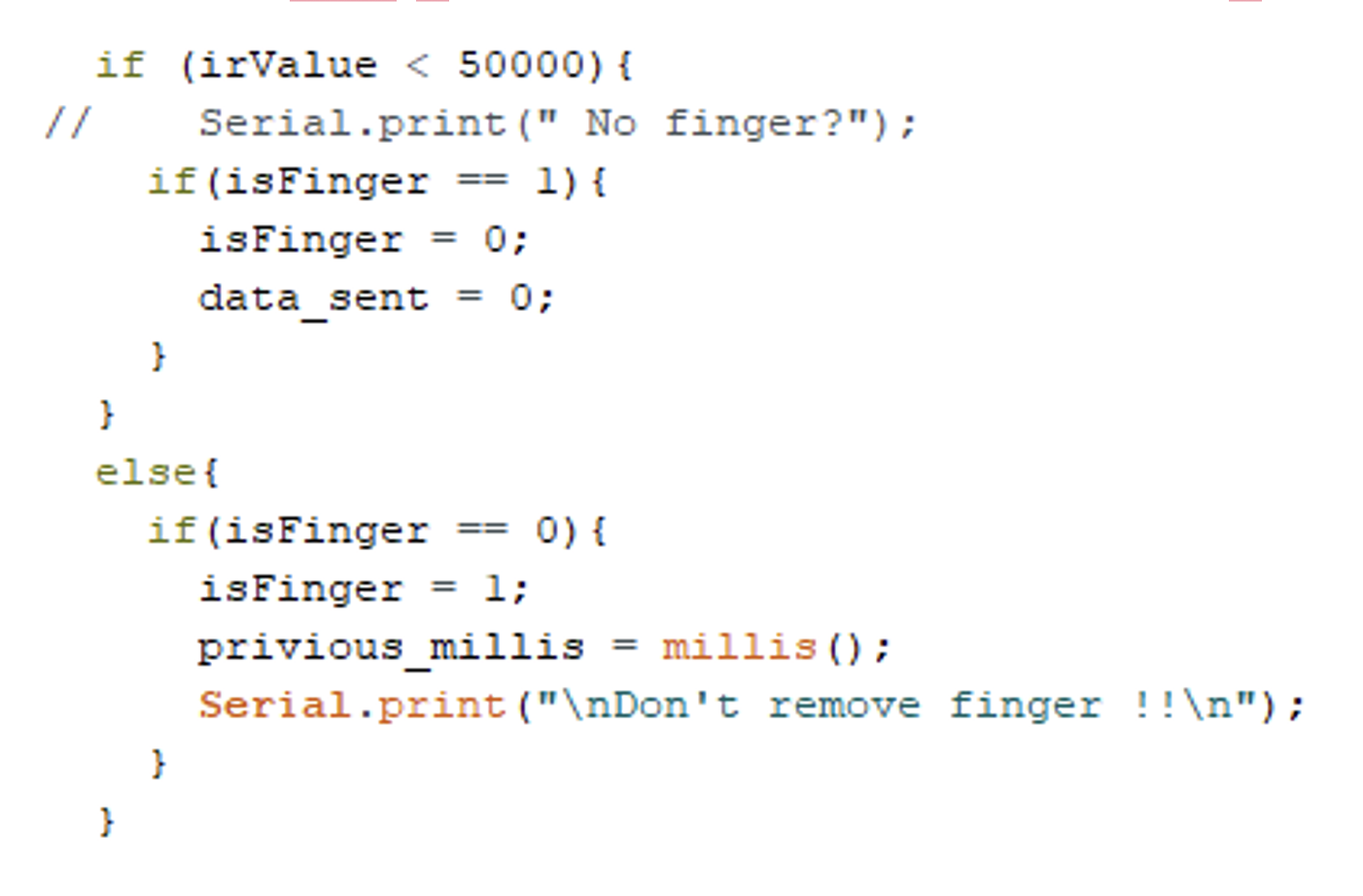
Figure 15. The code snippet for detecting a user’s finger on the sensor.

When a user’s finger is detected on the sensor, it will wait for ten seconds. After this time, it begins printing the BPM value on the serial monitor. If the BPM is out of the safe range, it will send this BPM data to LoRa.
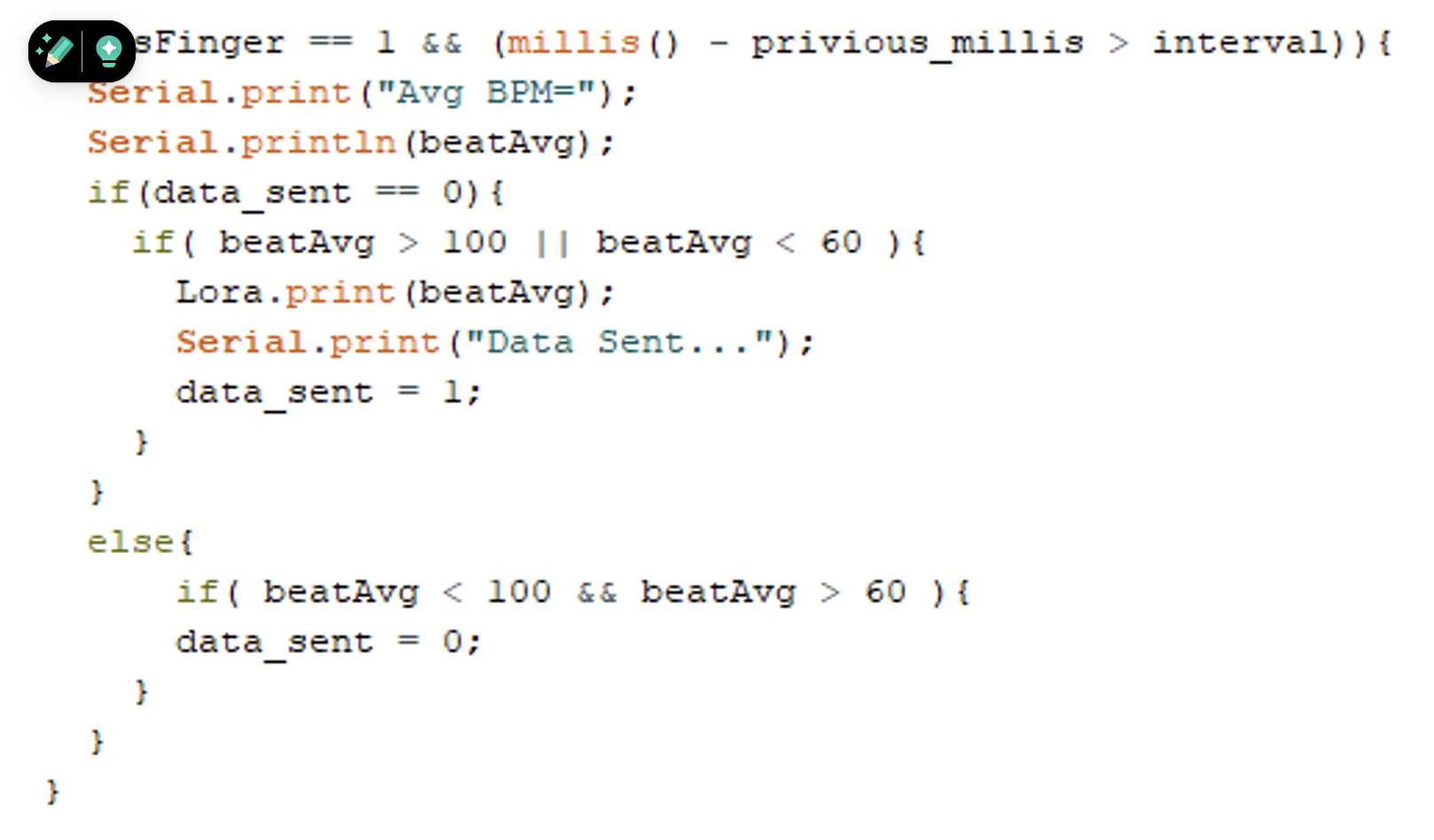
Figure 16. This code snippet shows the detection of a user’s finger, measuring their BPM value after ten seconds.

The code for the Lora E5 mini board is explained here.

Improving healthcare

This technology holds significant potential for application in homes and healthcare settings, ensuring safe and simple heart-rate monitoring for individuals. Implementing this solution allows access to real-time user data on a single screen, simplifying monitoring efforts and reducing the burden of manual data collection.

This concept can also be extended to create smartwatches or wearable health-tracking devices. These devices can empower individuals to monitor their own heart rates as needed. In case of any fluctuations outside the safe range, the device can alert the user and transmit the heart-rate data to healthcare providers or emergency responders for immediate attention.

By leveraging LoRa technology, this solution offers long-range communication and low-power consumption, making it ideal for healthcare and personal health monitoring applications.


You may also like:

  • What are the programming essentials for LoRa nodes?

  • How LoRa can impact smart cities with parking sensors

  • Understanding LoRa architecture: nodes, gateways, and servers

  • What is Chirpstack?

  • How to integrate modules and smart meters with LoRa node-to-gateway…

  • How LoRa enables long-range communication

  • What is LoRa and LoRaWAN?

  • What are LoRa gateways and what types are available?

Filed Under: Tutorials
Tagged With: 12c, Arduino, healthcare, heartrate, internetofthings, IoT, lora, lorawan, sensor, tutorials
 

Next Article

← Previous Article
Next Article →

Questions related to this article?
👉Ask and discuss on Electro-Tech-Online.com and EDAboard.com forums.


Tell Us What You Think!! Cancel reply

You must be logged in to post a comment.

EE TECH TOOLBOX

“ee
Tech Toolbox: Internet of Things
Explore practical strategies for minimizing attack surfaces, managing memory efficiently, and securing firmware. Download now to ensure your IoT implementations remain secure, efficient, and future-ready.

EE Learning Center

EE Learning Center
“engineers
EXPAND YOUR KNOWLEDGE AND STAY CONNECTED
Get the latest info on technologies, tools and strategies for EE professionals.

HAVE A QUESTION?

Have a technical question about an article or other engineering questions? Check out our engineering forums EDABoard.com and Electro-Tech-Online.com where you can get those questions asked and answered by your peers!


RSS EDABOARD.com Discussions

  • High Side current sensing
  • Voltage mode pushpull is a nonsense SMPS?
  • Reducing "shoot-through" in offline Full Bridge SMPS?
  • How to simulate power electronics converter in PSpice?
  • Layout IRN reduction in Comparator

RSS Electro-Tech-Online.com Discussions

  • Back to the old BASIC days
  • Parts required for a personal project
  • PIC KIT 3 not able to program dsPIC
  • Failure of polypropylene motor-run capacitors
  • Siemens large industrial PLC parts

Featured – RPi Python Programming (27 Part)

  • RPi Python Programming 21: The SIM900A AT commands
  • RPi Python Programming 22: Calls & SMS using a SIM900A GSM-GPRS modem
  • RPi Python Programming 23: Interfacing a NEO-6MV2 GPS module with Raspberry Pi
  • RPi Python Programming 24: I2C explained
  • RPi Python Programming 25 – Synchronous serial communication in Raspberry Pi using I2C protocol
  • RPi Python Programming 26 – Interfacing ADXL345 accelerometer sensor with Raspberry Pi

Recent Articles

  • What is AWS IoT Core and when should you use it?
  • AC-DC power supply extends voltage range to 800 V DC
  • Infineon’s inductive sensor integrates coil system driver, signal conditioning circuits and DSP
  • Arm Cortex-M23 MCU delivers 87.5 µA/MHz active mode
  • STMicroelectronics releases automotive amplifiers with in-play open-load detection

EE ENGINEERING TRAINING DAYS

engineering

Submit a Guest Post

submit a guest post
Engineers Garage
  • Analog IC TIps
  • Connector Tips
  • Battery Power Tips
  • DesignFast
  • EDABoard Forums
  • EE World Online
  • Electro-Tech-Online Forums
  • EV Engineering
  • Microcontroller Tips
  • Power Electronic Tips
  • Sensor Tips
  • Test and Measurement Tips
  • 5G Technology World
  • Subscribe to our newsletter
  • About Us
  • Contact Us
  • Advertise

Copyright © 2025 WTWH Media LLC. All Rights Reserved. The material on this site may not be reproduced, distributed, transmitted, cached or otherwise used, except with the prior written permission of WTWH Media
Privacy Policy

Search Engineers Garage

  • Electronic Projects & Tutorials
    • Electronic Projects
      • Arduino Projects
      • AVR
      • Raspberry pi
      • ESP8266
      • BeagleBone
      • 8051 Microcontroller
      • ARM
      • PIC Microcontroller
      • STM32
    • Tutorials
      • Audio Electronics
      • Battery Management
      • Brainwave
      • Electric Vehicles
      • EMI/EMC/RFI
      • Hardware Filters
      • IoT tutorials
      • Power Tutorials
      • Python
      • Sensors
      • USB
      • VHDL
    • Circuit Design
    • Project Videos
    • Components
  • Articles
    • Tech Articles
    • Insight
    • Invention Stories
    • How to
    • What Is
  • News
    • Electronic Product News
    • Business News
    • Company/Start-up News
    • DIY Reviews
    • Guest Post
  • Forums
    • EDABoard.com
    • Electro-Tech-Online
    • EG Forum Archive
  • DigiKey Store
    • Cables, Wires
    • Connectors, Interconnect
    • Discrete
    • Electromechanical
    • Embedded Computers
    • Enclosures, Hardware, Office
    • Integrated Circuits (ICs)
    • Isolators
    • LED/Optoelectronics
    • Passive
    • Power, Circuit Protection
    • Programmers
    • RF, Wireless
    • Semiconductors
    • Sensors, Transducers
    • Test Products
    • Tools
  • Learn
    • eBooks/Tech Tips
    • Design Guides
    • Learning Center
    • Tech Toolboxes
    • Webinars & Digital Events
  • Resources
    • Digital Issues
    • EE Training Days
    • LEAP Awards
    • Podcasts
    • Webinars / Digital Events
    • White Papers
    • Engineering Diversity & Inclusion
    • DesignFast
  • Guest Post Guidelines
  • Advertise
  • Subscribe